Calendar feed
A calendar feed is a private web address your calendar app checks regularly, so your scheduled posts show up next to your meetings.
-
Go to Settings → Calendar feed (admins).
-
Select Create feed URL for the Whole workspace or for one brand.
-
Select Copy URL.
-
Add it to your calendar app:
- Google Calendar: Other calendars → + → From URL → paste.
- Apple Calendar: File → New Calendar Subscription → paste.
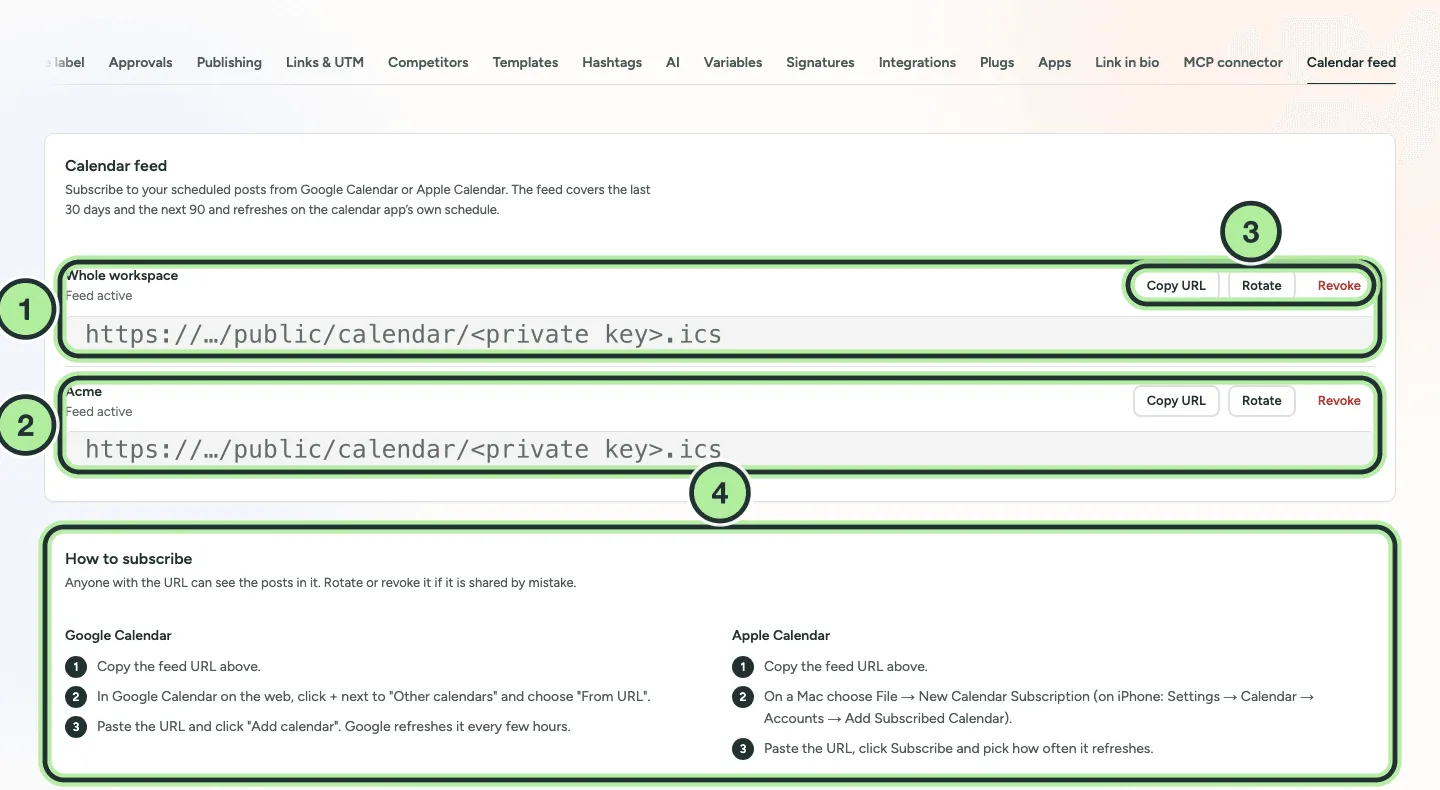
- The Whole workspace feed and its URL.
- A feed for one brand.
- Copy URL, Rotate and Revoke.
- How to subscribe in Google Calendar and Apple Calendar.
The feed covers the last 30 days and the next 90 days. Calendar apps refresh subscriptions on their own schedule, so changes can take a few hours to appear (Google is the slowest).
Keep it private
Section titled “Keep it private”Anyone with the URL can see your schedule. If it’s shared by mistake, select Rotate to get a new URL (the old one stops working) or Revoke to turn it off.
For a one-off download instead, see Export your calendar.