Customise a post per channel
By default everything you write in All channels goes to every selected channel. You can give any channel its own version.
-
In the composer, click the channel’s avatar in the tab row next to All channels.
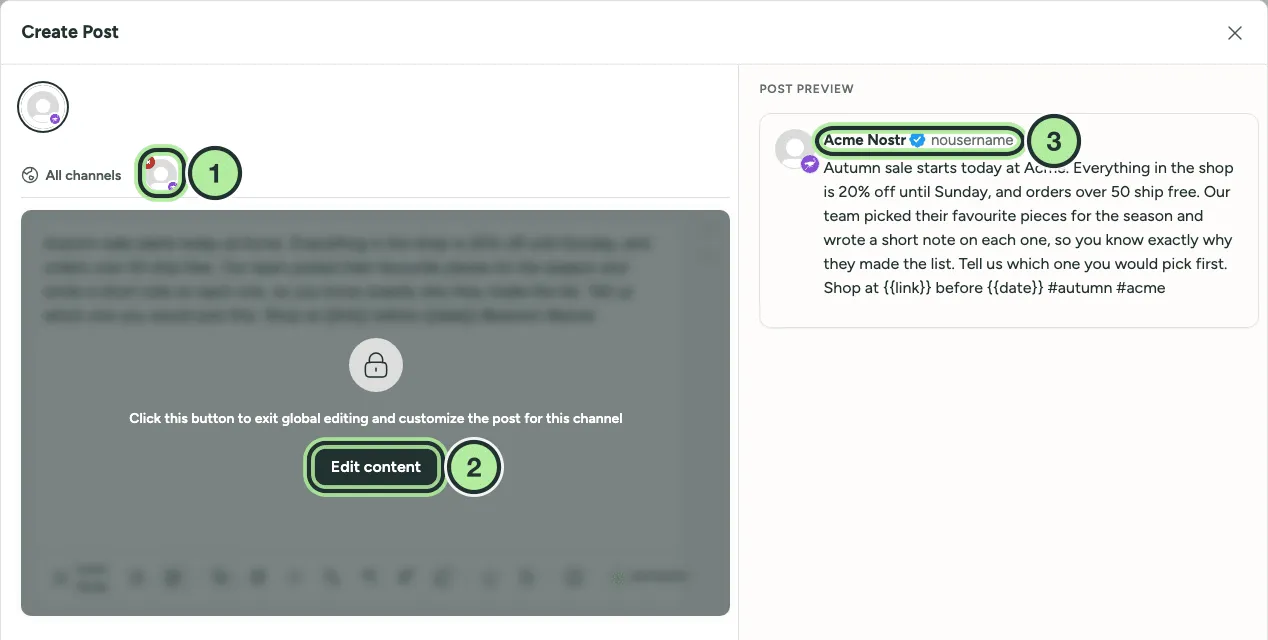
- The channel tab.
- Edit content unlocks the editor for this channel only.
- The preview now shows this channel.
-
Select Edit content. The header changes to Editing a Specific Network.
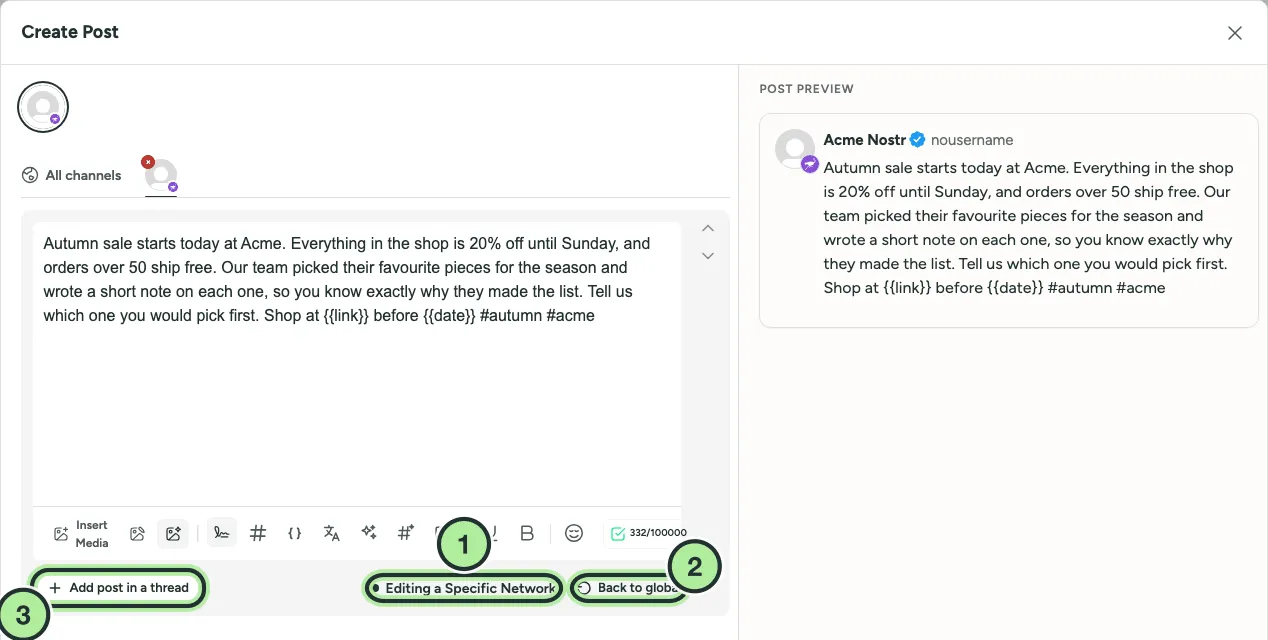
- Editing a Specific Network: changes here only affect this channel.
- Back to global throws this version away.
- Add follow-up posts for this channel.
-
Change the text, media or that network’s settings (post type, board, poll and so on).
-
A dot on the channel’s tab shows its content is now different from the global version.
To undo it, select Back to global. This throws away the channel’s own version and can’t be undone.
Network settings
Section titled “Network settings”Some options only exist on one network and always live on that channel’s tab, for example:
- Facebook and Instagram Post Type (post, story, reel). See Reels and Stories.
- Pinterest Select board, title and link.
- X Who can reply to this post?
- Polls on X, LinkedIn and Mastodon. See Polls.
- LinkedIn Post as carousel. See LinkedIn carousel from a thread.