Use PostNimbo on your phone
There’s no app to install. Open PostNimbo in your phone’s browser (Safari, Chrome and so on) and sign in.
The tab bar
Section titled “The tab bar”On a phone, the main sections move to a bar at the bottom of the screen.
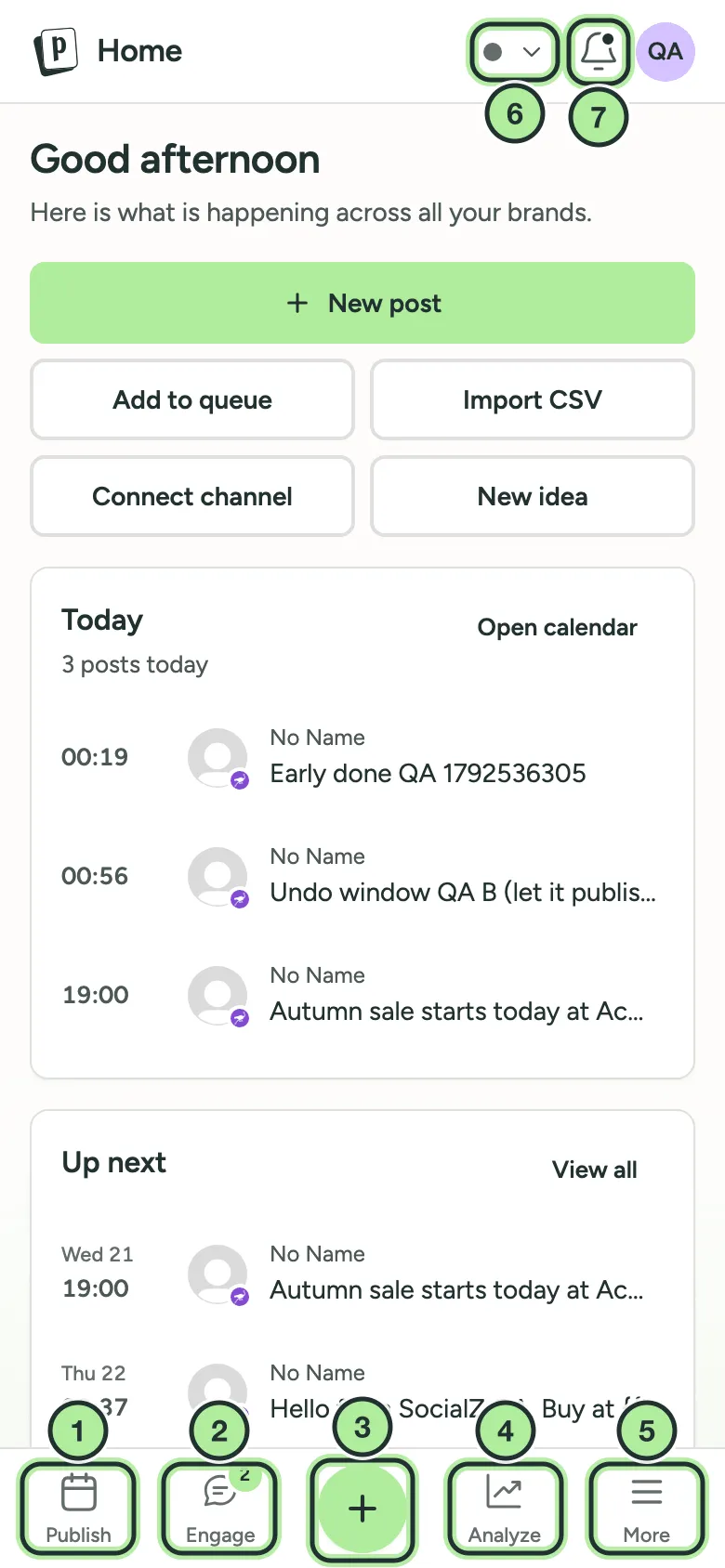
- Publish: your calendar, queue and reminders.
- Engage: the inbox. The badge counts open conversations.
- + (the big middle button): create a new post.
- Analyze: your results.
- More: see below.
- The brand switcher.
- The notifications bell.
More opens Create (media), Ideas, Approvals, Agents, the brand switcher, organizations and your account. A badge shows when posts are waiting for approval.
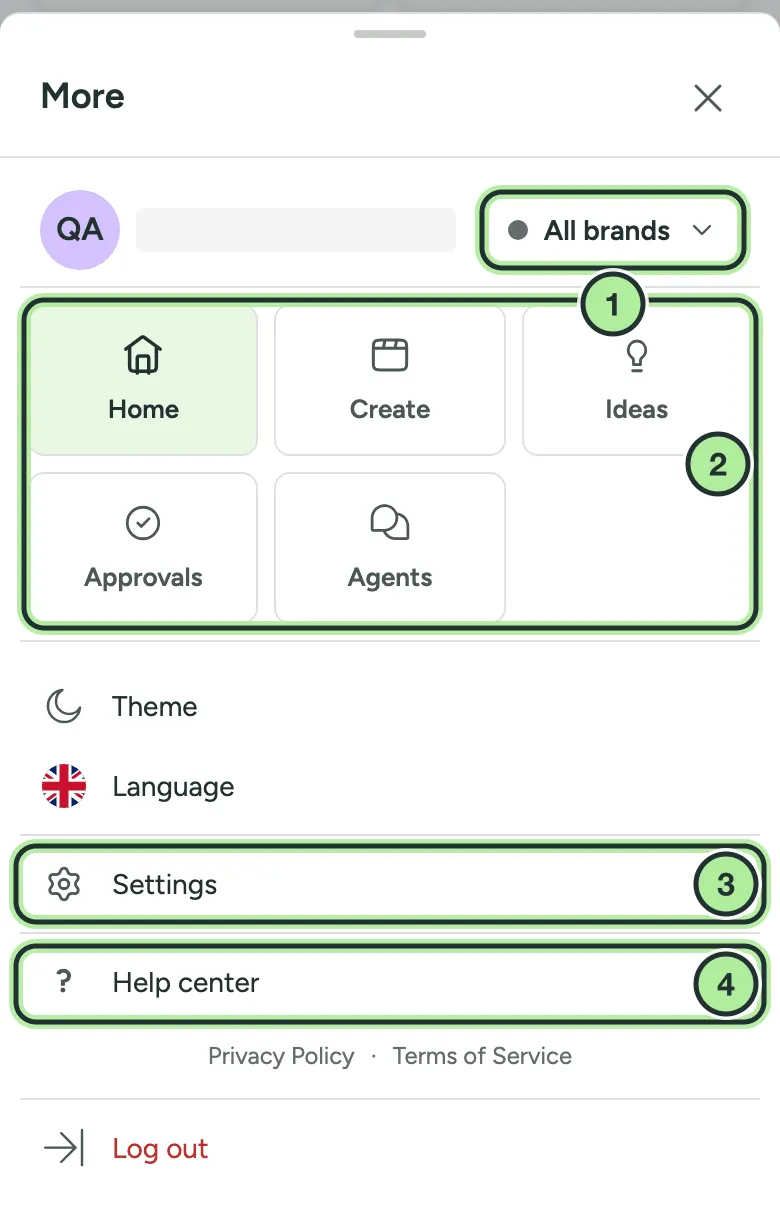
- The brand switcher.
- Home, Create, Ideas, Approvals and Agents.
- Settings.
- Help center: these pages.
Publish on a phone
Section titled “Publish on a phone”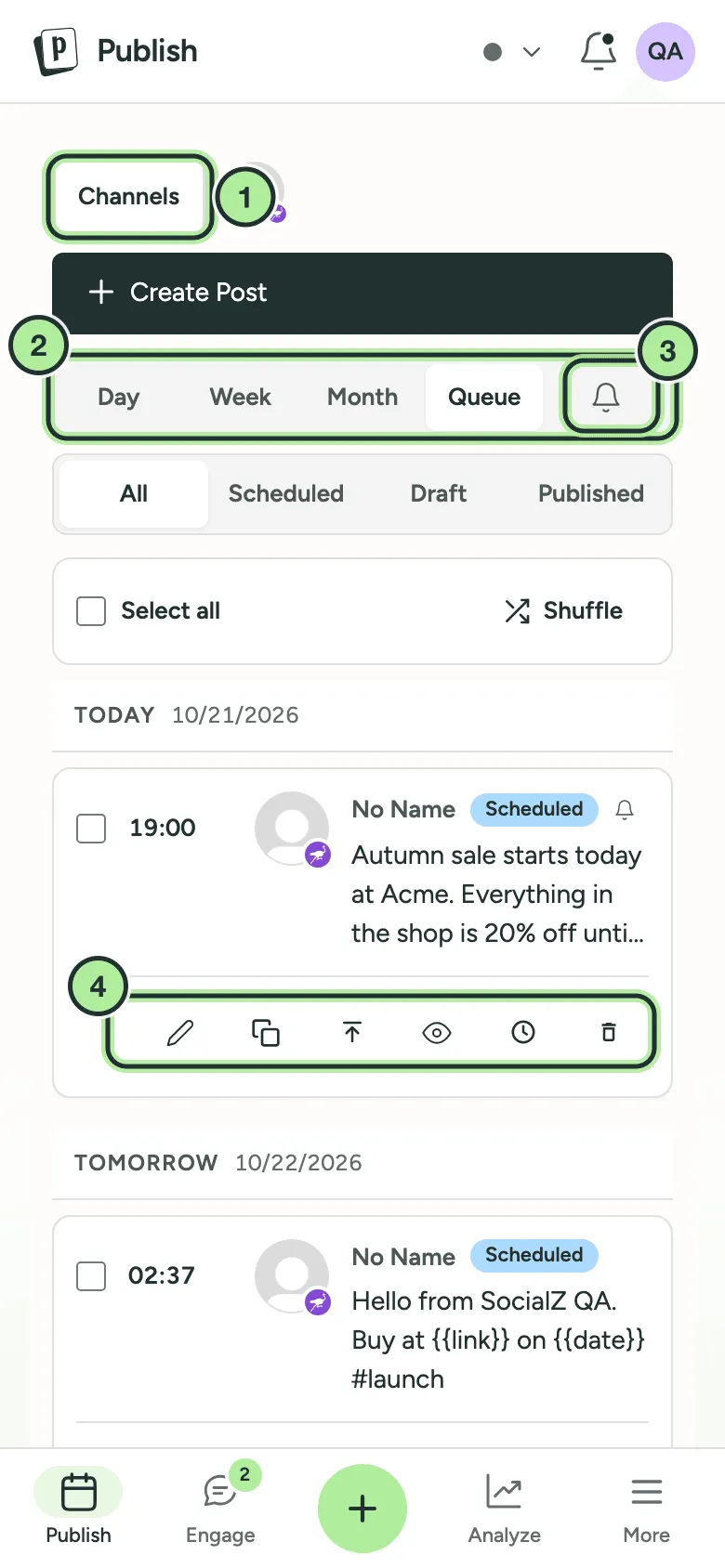
- Channels: your channel list and filters.
- The view switcher: Day, Week, Month and Queue.
- Reminders is the bell icon. A red dot means a reminder is waiting. See Publish via reminder.
- A post’s actions: edit, duplicate, share next, preview, activity and delete.
Write a post on a phone
Section titled “Write a post on a phone”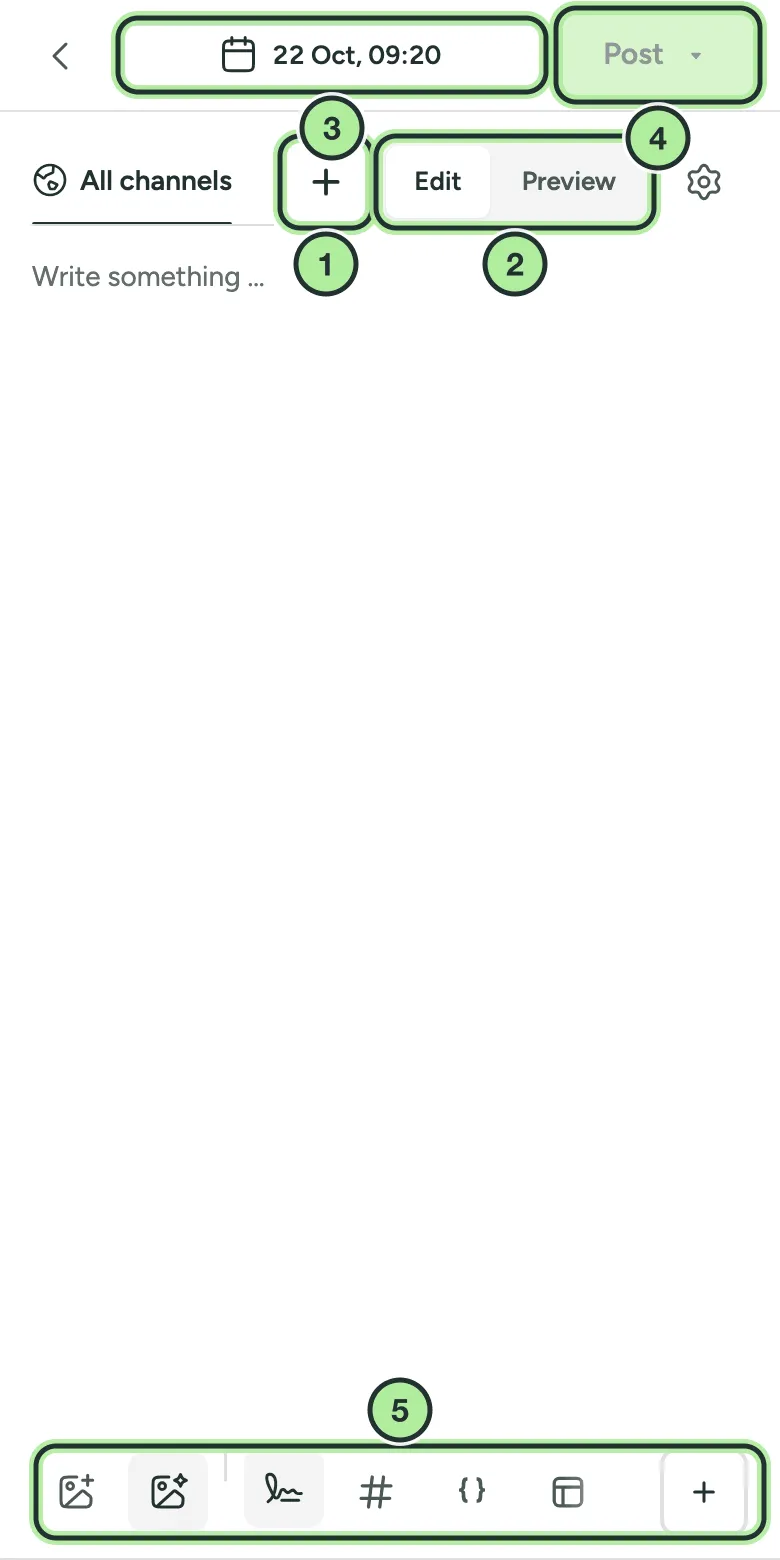
- + next to All channels: pick channels, then Done.
- Edit / Preview: check how the post will look.
- The date and time.
- Post, with more options in its menu.
- The toolbar: media, signature, hashtags, variables and templates.
The inbox on a phone
Section titled “The inbox on a phone”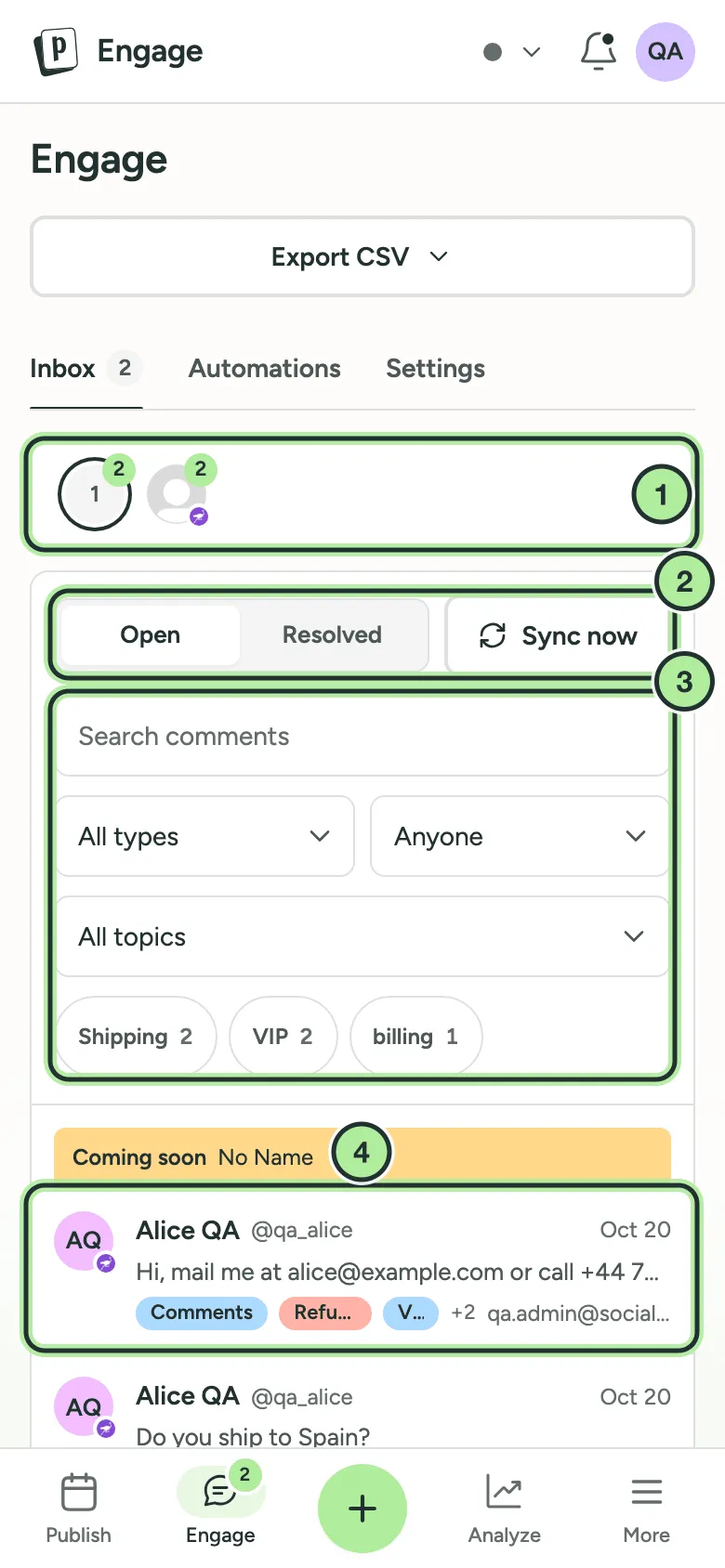
- Channels: tap one to see only its conversations.
- Open / Resolved and Sync now.
- Search and filters.
- A conversation. Tap it to read and reply.