Queue, posting times and best time
The Queue (Publish → Queue) is a list of everything coming up, grouped by day, with your free posting slots in between.
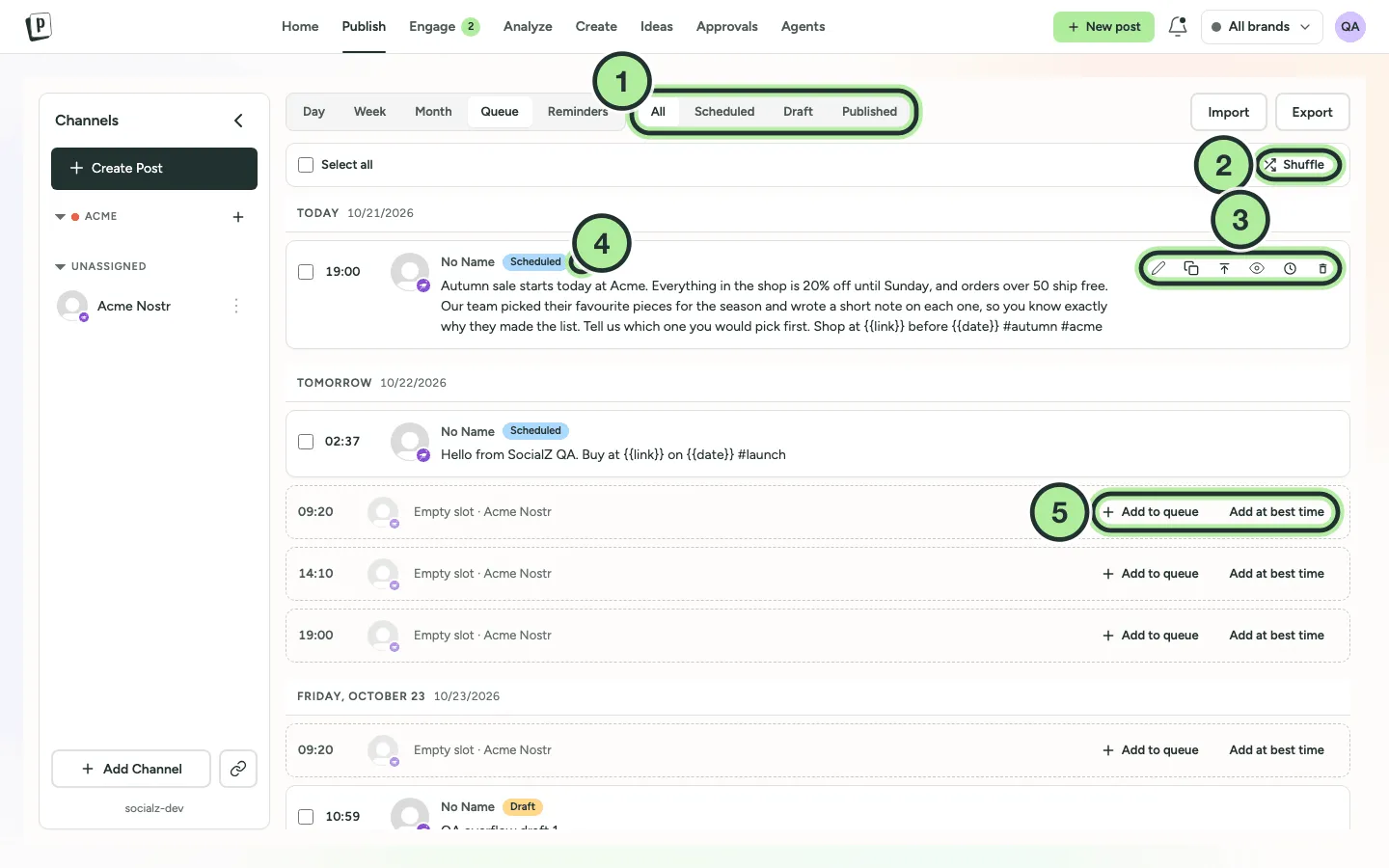
- Filter by All, Scheduled, Draft or Published.
- Shuffle: a channel’s queued posts swap their times at random. The slots stay the same.
- Post actions: Edit, Duplicate, Share next, Preview, Activity and Delete.
- The bell marks a post set to remind me to post.
- An empty slot: Add to queue or Add at best time.
Set posting times for a channel
Section titled “Set posting times for a channel”-
On the Publish page, open the channel’s ⋯ menu and select Edit Time Slots.
-
Add times with Hour and Minutes, then Add. Remove ones you don’t want.
-
Select Save Changes.
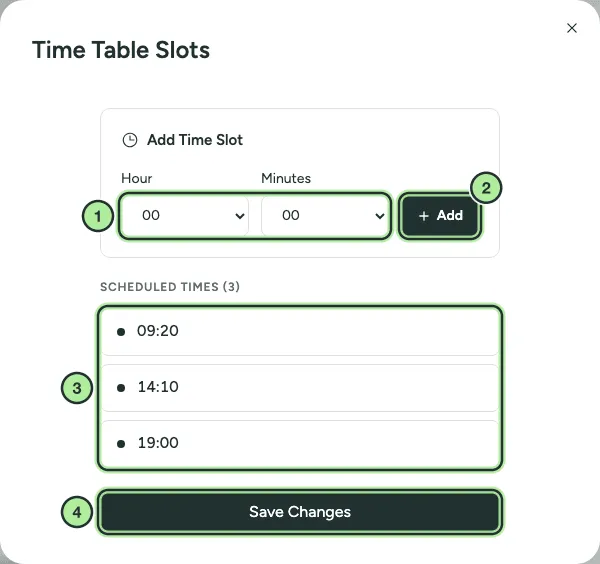
- Hour and Minutes.
- Add.
- The channel’s posting times.
- Save Changes.
Times are in your own timezone. A new channel starts with three default slots.
Fill a slot
Section titled “Fill a slot”In the queue, each free slot shows as Empty slot · channel name with two buttons (5 above):
- Add to queue: opens the composer at that time.
- Add at best time: opens the composer at the channel’s best suggested time.
Best time to post
Section titled “Best time to post”PostNimbo suggests times based on when your past posts got the most engagement.
- In the composer, open the date picker and select Best time. You’ll see the next five suggested times for the first selected channel. Pick one to use it.
- In Analyze → Overview, the best times heat map shows the whole week.
With fewer than 10 posts with data in the last 90 days, suggestions are a sensible default rather than based on your own results.
Reordering
Section titled “Reordering”There’s no drag-to-reorder in the queue. To move a post, open it and change its time, or drag it to another slot in the calendar.