Pause publishing
Pausing is useful during a crisis, a holiday or a client review. Nothing is deleted.
Pause one channel
Section titled “Pause one channel”Open the channel’s ⋯ menu and select Pause publishing. A Publishing paused icon shows on the channel. Select Resume publishing to restart.
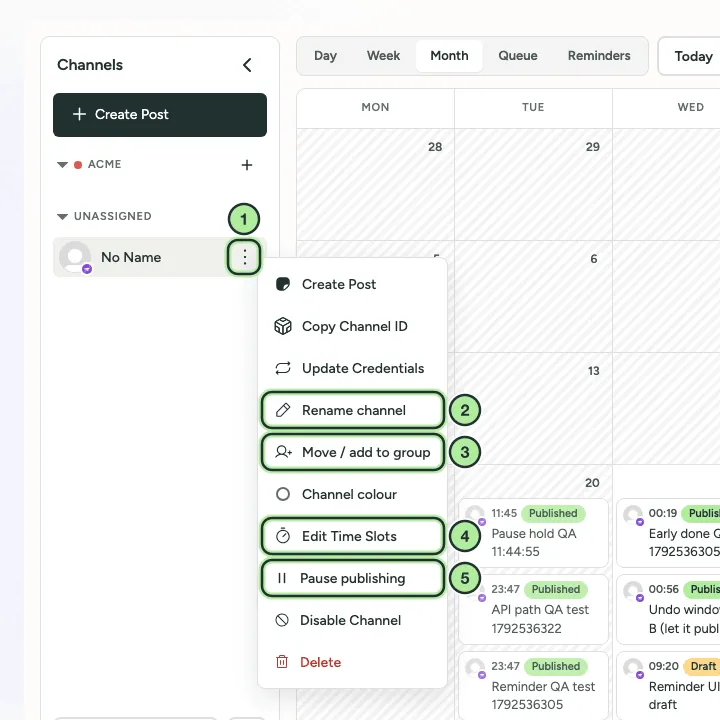
- The channel’s ⋯ menu.
- Rename channel.
- Move / add to group: move it to a brand.
- Edit Time Slots: see Queue and posting times.
- Pause publishing.
Pause a whole brand
Section titled “Pause a whole brand”Go to Settings → Brands, open the brand and select Pause publishing. Scheduled posts wait until you resume.
What happens to scheduled posts
Section titled “What happens to scheduled posts”Posts whose time arrives while paused are held. PostNimbo checks every 5 minutes and publishes them shortly after you resume, so they go out late rather than being skipped.