AI writing tools
The composer toolbar has three AI helpers.
- Translate: rewrites the text in another language (14 languages, including English, Spanish, French, German, Arabic, Chinese and Japanese). It replaces the text in the editor.
- Improve: rewrites your caption to be Shorter, Friendlier, More professional, to Fix grammar or to Add emoji. Press Ctrl+Z (Cmd+Z on Mac) to undo.
- Suggest hashtags: suggests hashtags for your text. Select Insert all or Suggest again.
Brand voice
Section titled “Brand voice”Admins can tell the AI tools how your brand sounds in Settings → AI. Improve, Suggest hashtags and Translate follow it. Leave it empty to keep the default behaviour.
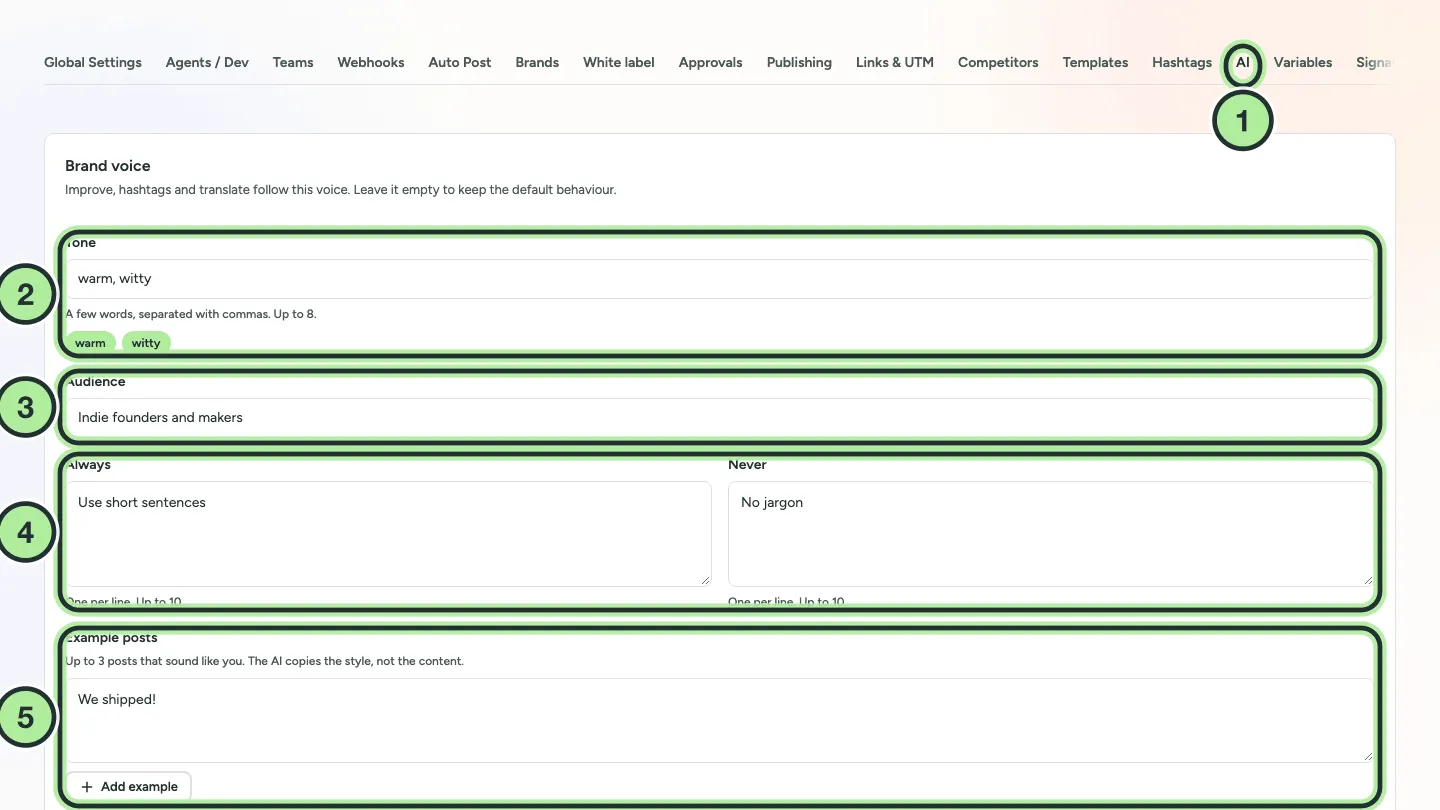
- Settings → AI.
- Tone: a few words, separated with commas (up to 8).
- Audience: who you write for.
- Always and Never: one rule per line (up to 10 each).
- Example posts: up to 3 posts that sound like you. The AI copies the style, not the content.
Below the examples, Language sets the language a tool writes in when it isn’t told otherwise. Improve always keeps the language of the post. Select Save changes.
Always read AI text before you publish it. If you use AI for the content, consider ticking the AI-generated label.