Ideas board
Open Ideas in the top bar. The board has three columns: Ideas, In progress and Done.
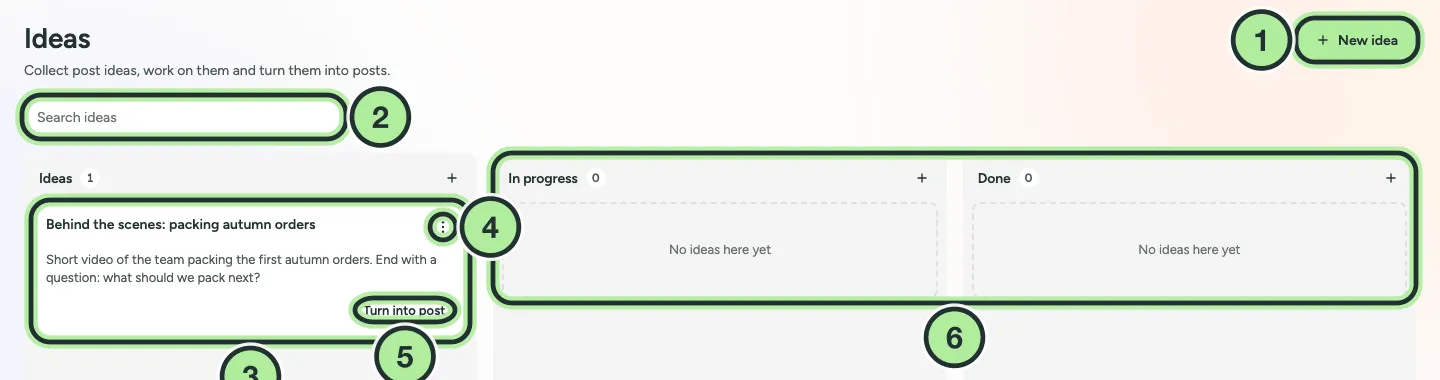
- New idea.
- Search ideas.
- An idea card.
- The card menu, with Move to….
- Turn into post.
- In progress and Done.
-
Select New idea.
-
Add a Title, a Draft of the text, any Media, the Brand and Tags.
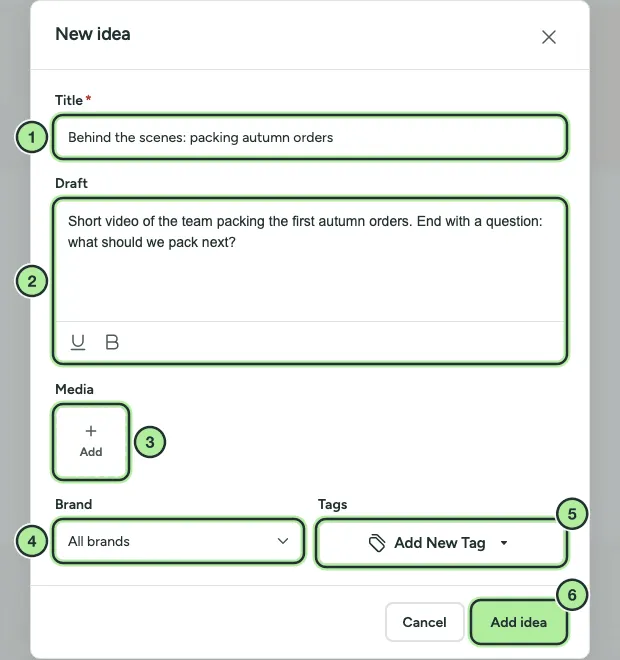
- Title.
- Draft.
- Media.
- Brand.
- Tags.
- Add idea.
-
Save. Drag the card between columns, or use Move to….
-
When you’re ready, select Turn into post to open it in the composer.
Use Search ideas to find a card.