Automations
Rules run on every new message that arrives in the inbox. See the inbox pipeline for where they fit.
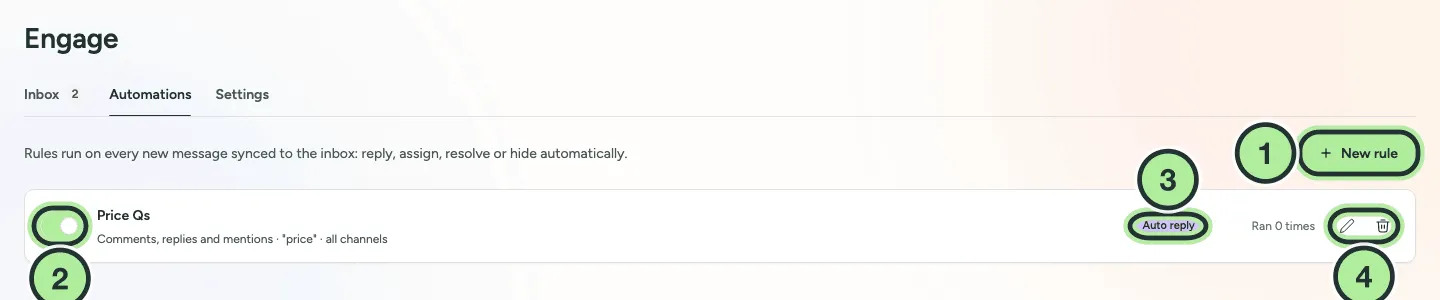
- New rule.
- Switch a rule on or off.
- The rule’s action.
- Edit or delete it. Each rule shows how many times it ran.
Create a rule
Section titled “Create a rule”-
Go to Engage → Automations and select New rule.
-
Give it a Name, keep Rule is active on, and choose the Brand and Channels (leave channels empty for all of the brand’s channels).
-
Under When, set the conditions:
- Message types: Comments, Replies, Mentions, Messages, Reviews.
- Keywords (up to 50). Tick Every keyword must appear to require all of them.
- Sentiment: Any, Question, Negative or Positive.
- Only from people who never wrote before.
- Only outside business hours.
-
Under Then, choose one action:
- Auto reply with your text. Use
{{author}}and{{brand}}. - AI reply, with Instructions for the AI (for example “Thank them and point to our FAQ”).
- Assign to a person or to the Next available teammate with skill.
- Resolve, Hide or Tag.
- Auto reply with your text. Use
-
Select Create rule. Once it’s saved, select Test to try it on a sample message (nothing is sent).
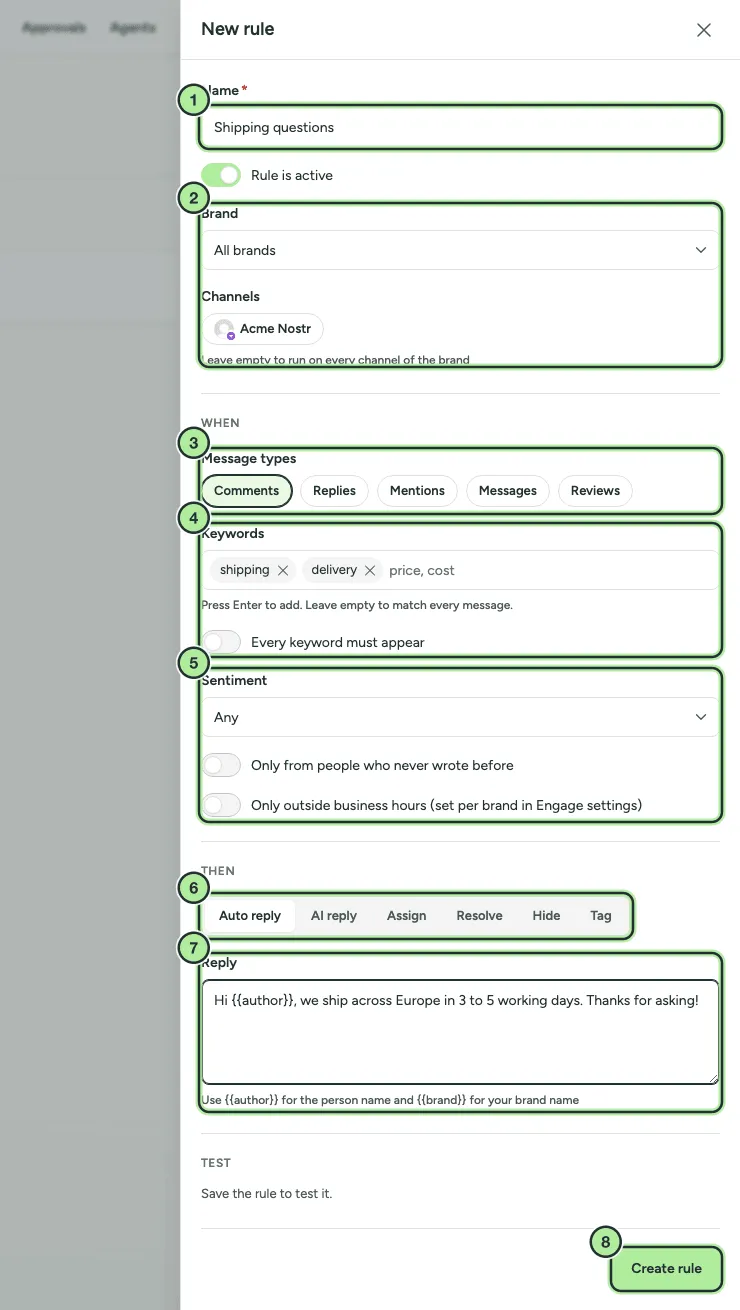
- Name and Rule is active.
- Brand and Channels.
- Message types.
- Keywords and Every keyword must appear.
- Sentiment, new people only and outside business hours.
- Then: Auto reply, AI reply, Assign, Resolve, Hide or Tag.
- The reply text, with
{{author}}and{{brand}}. - Create rule. Test appears once the rule is saved.
Each rule shows how many times it ran and when it last ran.
Good to know
Section titled “Good to know”- If you don’t pick any message types, a rule covers comments, replies and mentions. Messages and Reviews must be picked on purpose.
- Rules never run on the first 7 days loaded when a channel is first synced, or on messages older than the rule.
- Only one automatic reply is sent per message: the first matching rule wins.
- Replies to direct messages are sent in the message thread.
- Hide only works on networks that allow hiding (Facebook, Instagram, Threads).
- Only outside business hours needs business hours to be set, otherwise the rule never runs.